Looking for the fastest way to use Emoji On Keyboard? Here’s everything you need to find, copy, and use emojis like a pro in 2026.
Have you ever wanted to send the perfect emoji but couldn’t figure out where it was on your keyboard? You’re not alone.
If you’re chatting with friends, replying to a work message, posting on Instagram, or creating a fun Ticktock caption, emojis help express emotions that words sometimes cannot.
I remember trying to react with a 😂 during an online conversation but spending several minutes searching for it.
It was frustrating, especially when everyone else had already moved on. That’s when I learned about built-in emoji keyboards and quick keyboard shortcuts. Since then, using emojis has become effortless.
In this guide, you’ll learn what Emoji On Keyboard means, how to access emoji keyboards on different devices, copy-and-paste ready emoji combinations, aesthetic ideas for social media, common fixes for emoji problems, and the latest trending emoji styles in 2026.
What does Emoji On Keyboard mean?
Emoji On Keyboard refers to the built-in emoji panel available on smartphones, tablets, laptops, and desktop computers. Instead of searching online for emojis, you can instantly open your device’s emoji keyboard and insert emojis into messages, emails, social media posts, and documents.
Emoji keyboards are available on:
| Device | How to Open Emoji Keyboard |
|---|---|
| Windows | Press Windows + . (Period) |
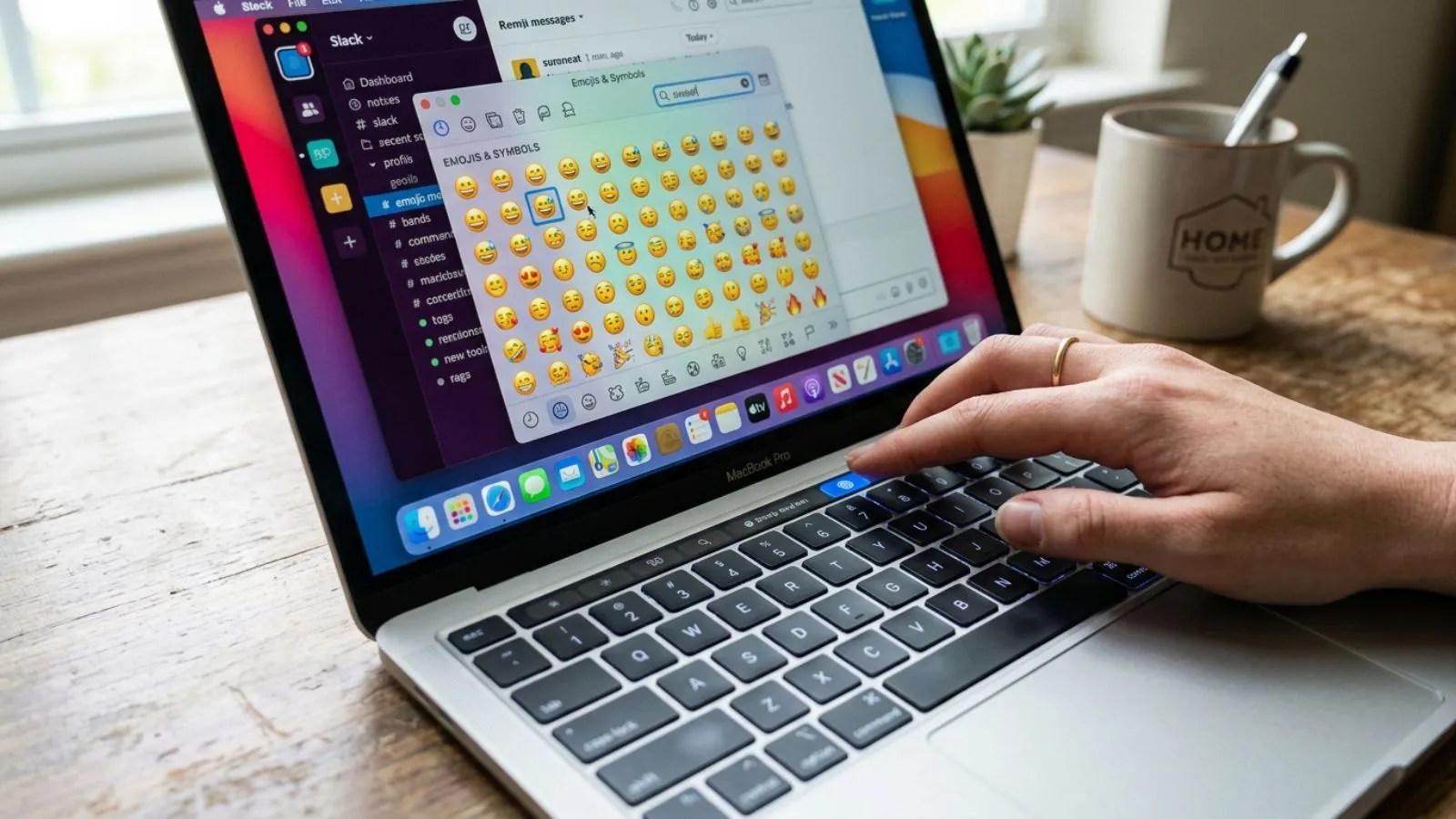
| Mac | Press Control + Command + Space |
| Android | Tap the 😊 emoji icon on the keyboard |
| iPhone | Tap the 🌐 or 😊 emoji key |
Emoji keyboards include thousands of symbols, including:
- 😀 Smileys
- ❤️ Hearts
- 😂 Funny faces
- 👍 Hand gestures
- 🐶 Animals
- 🍕 Food
- ✈️ Travel
- 🎉 Celebrations
Using the keyboard is much faster than copying emojis from websites.
How to use Emoji On Keyboard emojis
Using emoji keyboards is simple once you know where to find them.
On Windows
- Press Windows + .
- Choose an emoji.
- Click it to insert.
Example:
I’m so excited 🎉
On Mac
Press:
Control + Command + Space
Search for emojis or browse categories.
Example:
Let’s celebrate 🥳
On Android
- Open your keyboard.
- Tap the emoji icon.
- Choose your favorite emoji.
Example:
Good morning ☀️😊
On iPhone
- Open Messages.
- Tap the emoji key.
- Select your emoji.
Example:
Love you ❤️
Best emoji combinations for copy paste
Ready-to-use emoji combinations make texting even more fun.
Happy
😊✨🌸
😁🎉💛
🥳🎊🎈
Love
❤️🥰💖
💕🌹😘
💞✨❤️
Cute
🐻🤍🌸
🐰🎀💕
🧸✨💖
Aesthetic
☁️🌙✨
🤍🕊️🌿
🩵❄️✨
Funny
😂🤣💀
🙈😂🔥
😆🎭🤣
Simply copy and paste them into Instagram bios, TikTok captions, WhatsApp messages, or Facebook posts.
Aesthetic emoji ideas for social media
Beautiful emoji combinations can make your profiles more eye-catching.
Instagram Bio
🌸 Dream Big ✨
🤍 Living My Story 🌙
☁️ Creating Memories 📸
TikTok
🎥✨💖
🔥🎶🎬
💃🌟💕
WhatsApp Status
🌻 Stay Positive 🌈
✨ New Beginnings 💛
🌙 Good Night 😴
Pinterest Style
🤎🍂📖
☕🌿✨
🎀🌸🩷
Using matching emojis keeps your profile clean and visually attractive.
Common problems and solutions
Many users experience emoji-related issues. Here are quick fixes.
| Problem | Solution |
|---|---|
| Emoji keyboard missing | Enable emoji keyboard in device settings |
| Emoji appears as □ | Update your operating system |
| Friend sees different emoji | Different platforms use different emoji designs |
| New emoji missing | Install the latest software update |
| Keyboard shortcut not working | Restart your device or update keyboard settings |
Remember that Apple, Google, Microsoft, and Samsung each display emojis slightly differently.
Trending emoji usage in 2026
Emoji trends continue changing every year. In 2026, these emojis are among the most popular for texting and social media.
🔥 Fire
😭 Loudly Crying Face
✨ Sparkles
🫶 Heart Hands
🤍 White Heart
💀 Skull
🥹 Face Holding Back Tears
🩷 Pink Heart
🫠 Melting Face
🪩 Mirror Ball
Popular aesthetic combinations include:
✨🤍🌙
💀😂
🫶🥹❤️
🌸☁️✨
Creators on Instagram, TikTok, Snapchat, and WhatsApp often mix these emojis to make captions more expressive and visually appealing.
FAQs
Where is the emoji keyboard on Windows?
Press Windows + . (Period) to instantly open the emoji keyboard.
How do I get emojis on my laptop keyboard?
Windows uses Windows + ., while Mac uses Control + Command + Space.
Why do emojis look different on another phone?
Each operating system designs emojis differently, even though they represent the same Unicode character.
Can I copy and paste emojis?
Yes. Emojis can be copied and pasted into almost any app, website, or social media platform.
Why can’t I see the newest emojis?
Your device likely needs the latest operating system update to support newer Unicode emojis.
Are emoji keyboards free?
Yes. Emoji keyboards are built into Android, iPhone, Windows, and Mac devices at no additional cost.
Conclusion
Emoji keyboards have become an essential part of everyday communication, making conversations more expressive, engaging, and personal.
If you’re sending a quick text, writing an email, updating your Instagram bio, or creating a viral TikTok caption, knowing how to access the Emoji On Keyboard feature saves time and makes messaging more enjoyable.
Built-in emoji keyboards on Windows, Mac, Android, and iPhone offer thousands of emojis that are ready to use without downloading extra apps.
You can also copy and paste stylish emoji combinations to create eye-catching social media posts or unique profile designs. If you experience missing emojis or display issues, a simple software update or enabling the emoji keyboard usually solves the problem.
As emoji trends continue evolving in 2026, keeping up with the latest symbols and creative combinations helps your messages feel modern, fun, and relatable. Start exploring your emoji keyboard today and add more personality to every conversation.