Want to type emojis on your Windows PC instantly? The Emoji Keyboard Windows shortcut makes it quick, fun, and effortless.
Have you ever been chatting with a friend, posting on social media, or replying to an email and wanted to add the perfect emoji? Many Windows users don’t realize that their computer already includes a built-in emoji keyboard.
I remember seeing others use emojis smoothly on their laptops while I struggled to copy and paste them from websites how to do emojis on windows.
Once I discovered the Windows emoji keyboard, everything became easier If you’re creating Instagram captions, chatting on Whats App Web, posting on Ticktock, or sending professional messages with a touch of personality, the Emoji Keyboard Windows feature can save time and make communication more expressive.
This guide covers everything you need to know, from meanings and usage to troubleshooting and the latest emoji trends in 2026.
What does Emoji Keyboard Windows mean?
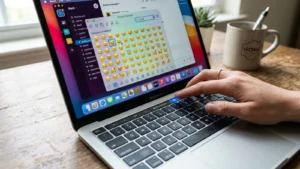
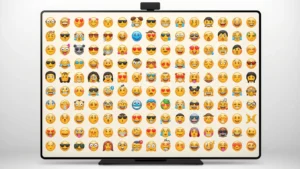
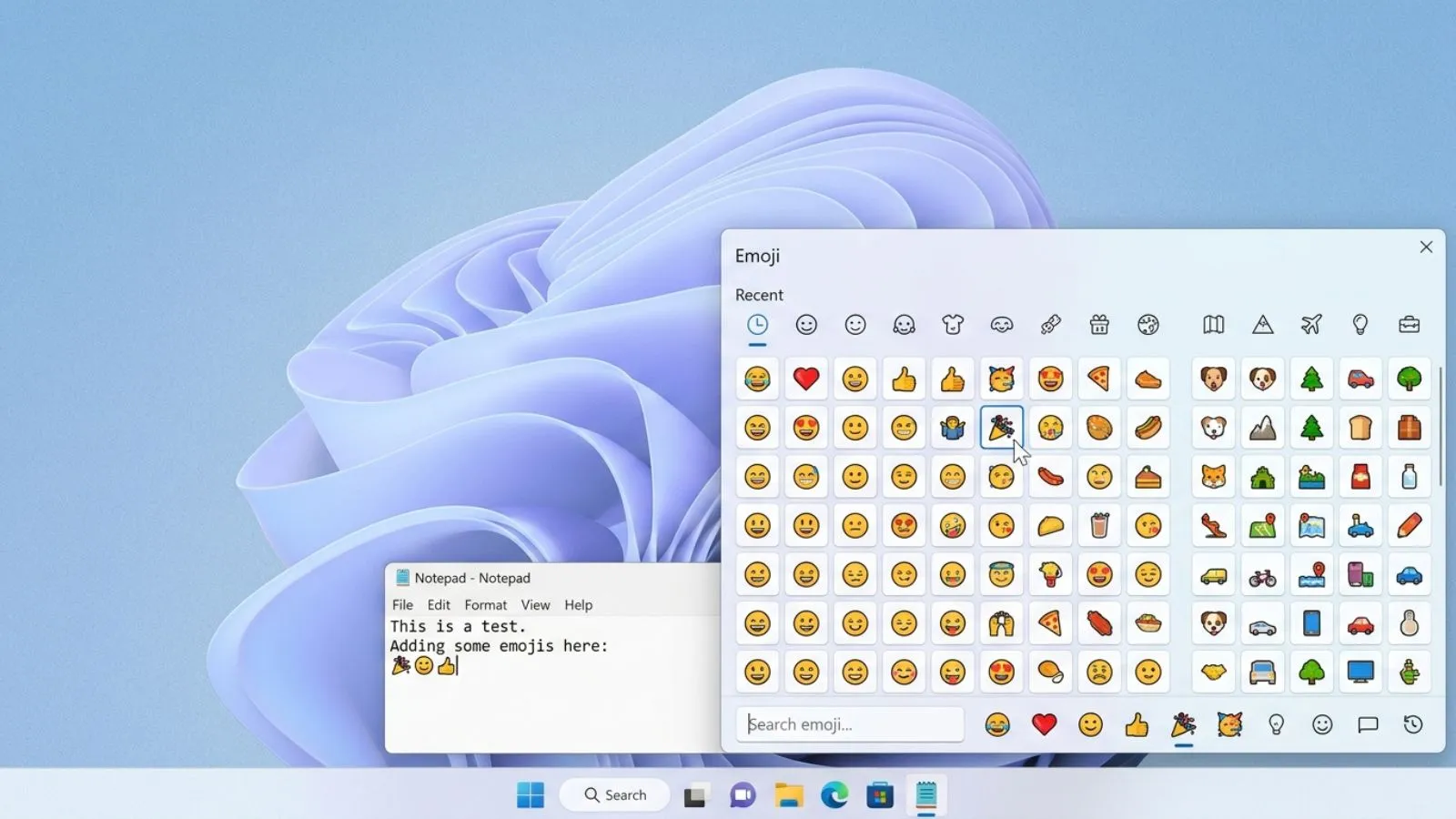
Emoji Keyboard Windows refers to the built-in emoji picker available on Microsoft Windows computers. It allows users to access thousands of emojis without visiting external websites.
The most common shortcut is:
Windows Key + . (Period)
or
Windows Key + ; (Semicolon)
When pressed together, a panel appears with:
- 😀 Smileys and emotions
- 🐶 Animals and nature
- 🍕 Food and drinks
- ⚽ Activities and sports
- 🚗 Travel and places
- ❤️ Symbols and hearts
- 🎉 Celebration emojis
This feature works in most applications including:
- Microsoft Word
- Google Chrome
- WhatsApp Web
- TikTok
- Discord
- Gmail
How to use Emoji Keyboard Windows emojis
Using the emoji keyboard is simple.
Step 1
Place your cursor where you want the emoji.
Step 2
Press:
Windows + .
Step 3
Browse categories or search for an emoji.
Step 4
Click the emoji to insert it.
Real-Life Examples
- Thanks for your help 🙌
- Happy Birthday 🎂🎉
- Working hard today 💻☕
- Can’t wait for vacation ✈️🌴
Popular Emoji Meanings
| Emoji | Meaning |
|---|---|
| 😂 | Laughing hard |
| ❤️ | Love and affection |
| 🔥 | Amazing, trending |
| 😎 | Cool and confident |
| 🙌 | Celebration |
| 👍 | Approval |
| 🤔 | Thinking |
| 🎉 | Celebration |
Best emoji combinations for copy paste
Ready-to-use emoji combinations make messages more creative.
Happy Mood
- 😊✨🌈
- 😄💖🌸
- 🥳🎉🎂
Love Vibes
- ❤️🥰💕
- 💘🌹✨
- 😘💞🌷
Social Media Aesthetic
- ✨🤍🌙
- 🌸🦋💫
- ☁️🤍✨
Gaming
- 🎮🔥⚡
- 🏆😎🎯
- 🚀🎮💯
Study and Work
- 📚☕✨
- 💻🚀📈
- 📝🎯💡
Viral 2026 Combos
- 🔥💯🚀
- 😭😂✨
- 🫶💖🥹
- 💀😂🔥
- ✨🩷🌷
Aesthetic emoji ideas for social media
Aesthetic emojis can make profiles, captions, and bios stand out.
Instagram Bio Ideas
- ✨ Dream Big ✨
- 🌙 Living My Story 🌙
- 🤍 Positive Energy 🤍
- 🦋 Becoming Better Daily 🦋
TikTok Caption Styles
- 💀😂 This was too funny
- 🔥 Trending right now
- 😭✨ Can’t stop watching
WhatsApp Status Ideas
- 🌸 Good vibes only
- ☕ Working on myself
- ✈️ Adventure begins
Cute Emoji Borders
- ✨🌸✨🌸✨
- 🤍☁️🤍☁️🤍
- 🦋💫🦋💫🦋
Common problems and solutions
Emoji keyboard not opening
Try:
- Restarting Windows
- Updating Windows
- Testing Windows + ;
- Checking keyboard settings
Emojis appear as squares
This usually happens because:
- The app doesn’t support newer emojis
- The operating system is outdated
- Fonts are missing
Emoji looks different on another device
Different platforms display emojis differently.
For example:
| Platform | Appearance Difference |
|---|---|
| Windows | Microsoft style |
| Apple | iPhone style |
| Android | Google style |
| Social apps | Custom designs |
Search not working
- Update Windows
- Restart the application
- Clear temporary files
New emojis missing
Install the latest Windows updates to access recently added emojis.
Trending emoji usage in 2026
Emoji trends continue evolving every year.
Most Popular Emojis in 2026
- 😂 Face with Tears of Joy
- ❤️ Red Heart
- 🔥 Fire
- 💀 Skull
- ✨ Sparkles
- 🫶 Heart Hands
- 🥹 Face Holding Back Tears
- 🚀 Rocket
Viral Social Media Usage
💀
Used to mean something is extremely funny.
Example:
- That video had me 💀
🔥
Represents something impressive or trending.
Example:
- Your new setup is 🔥
🫶
Shows appreciation and support.
Example:
- Thanks for helping me 🫶
✨
Adds aesthetic and positive vibes.
Example:
- New goals for 2026 ✨
FAQs
What is the shortcut for Emoji Keyboard Windows?
Press Windows + . or Windows + ; to open the emoji picker.
Does Emoji Keyboard Windows work in all apps?
It works in most modern applications including browsers, messaging apps, and office software.
Can I search for emojis in Windows?
Yes. Open the emoji panel and use the search box to find emojis quickly.
Why do emojis look different on Windows?
Each platform uses its own emoji design style, so appearance may vary.
Is Emoji Keyboard Windows free?
Yes. It is built into Windows and requires no additional software.
Can I use emojis on WhatsApp Web from Windows?
Absolutely. Open the emoji keyboard and insert emojis directly into chats.
Conclusion
The Emoji Keyboard Windows feature is one of the most useful tools built into modern Windows computers. It allows users to quickly add emotion, personality, and creativity to messages, emails, social media posts, and online conversations.
If you’re chatting with friends, creating engaging Instagram captions, posting viral Ticktock content, or simply making work messages friendlier, emojis help communicate feelings more effectively than words alone.
The simple Windows + . shortcut gives instant access to thousands of emojis, symbols, emojis, and GIF-style expressions.
From classic favorites like ❤️ and 😂 to trending 2026 emojis such as 💀, 🫶, and ✨, there is an emoji for every situation.
By understanding emoji meanings, using stylish combinations, and knowing how to fix common issues, you can get the most out of the Windows emoji keyboard. Start exploring today and make every message more expressive, engaging, and fun with just a few clicks.